Videos by ComicBook.com
Players are already hard at work creating beautiful islands of their own in Pokemon Pokopia. But the developer has had quite the head start on their Cloud Island, and it shows. Now, you can explore this beautifully crafted space using a new Cloud Island code, as shared by the Japanese Pokemon social media account @poke_times. But you’ll need a special item first. Here’s how it works.
How to Use Codes to Visit Special Cloud Islands in Pokemon Pokopia
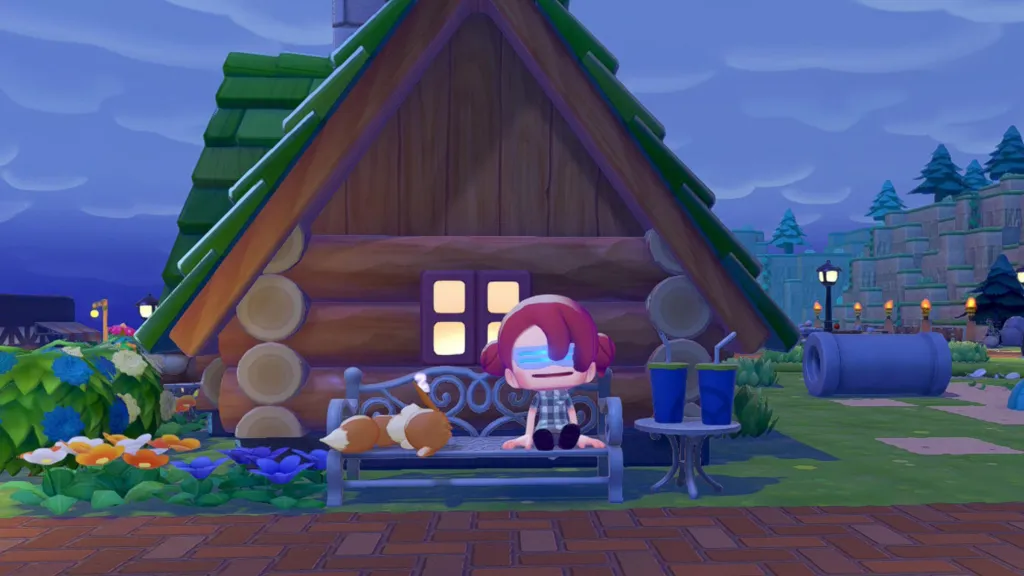
If you try to plug the developer’s Cloud Island code into the Pokemon Center PC, you’ll get an error message stating the island is not currently public. That’s because this space is set up in a view-only virutal mode, and you’ll need to access it using the Mysterious Goggles.
The Mysterious Goggles are available in the PC store in Pokemon Pokopia. Once you buy them using life coins, you’ll need to actually put them on to travel to a virtual cloud island. When you do, you’ll be prompted to enter a code.
To visit the Pokopia developer island, enter the code PXQC G03S while using the Mysterious Goggles. Then, you’ll be able to explore the island to get some inspiration for your own. And that includes a truly impressive replica PokeBall and some stunning house builds, to name a few. Once you’re ready to leave, open the menu and hit the – button to return home, or interact with the Pokemon Center PC on the Cloud Island.
This feature lets players show off their Cloud Island creations without giving other Ditto the ability to make changes. I’ll be curious to see if we get any other codes for unique Cloud Island spaces from the Pokemon Company in the future. But for now, the developer island code is the only public one.
How Visiting Cloud Islands Normally Works in Pokemon Pokopia